
Uncategorized
Everyday Habits That Ease a Gradual Nicotine Cutback

Cutting back on nicotine is rarely a single decision. For many people it is a slow process that unfolds over weeks, with good days and harder ones mixed together. The routines around the habit, such as the time of day, the place and the company, often shape the pattern as much as the habit itself.
The habits below are general behavior ideas. They are not medical advice and they do not promise any particular result. They simply make the process easier to watch, to understand and to adjust as life changes.
Note the Triggers in a Plain Notebook
Keep a small notebook and jot down each time the urge appears. Write the time, the place, what you were doing and how strong the urge felt on a simple scale. After a week, patterns usually become visible, such as a strong pull after meals or during a long commute.
Readers may also want to visit entre-chefs.com. A neutral note is more useful than a harsh judgment. The goal is to understand what sets off the urge so you can plan around it. Patterns often shift after a few weeks, so keep the notebook going for a while before drawing conclusions.
Add a Short Pause Before Each Use
When an urge arrives, try waiting a few minutes before acting on it. During that pause, take a slow breath, drink some water or step outside for a moment. Many people find that the urge rises, peaks and fades within a short window, and the pause gives it room to pass.
You can also visit The Candid RD for more reading. Over time, you may notice that the pause itself becomes a useful skill that works in other stressful moments as well. Some people also write a single word about how the pause felt, which adds another useful layer to the notebook.
Keep Hands and Mouth Busy With Simple Snacks
Some people find that the hand-to-mouth movement is part of the pull. Keep sugar-free gum, sliced vegetables or a bag of nuts within reach to give your hands and mouth something else to do. For a related read on this site, see Tiny Device Routines for Better Daily Wellbeing.
Place the snacks in the spots where the urge tends to strike, such as beside the desk or in the car. Easy access turns a helpful habit into a natural first response, which is far easier than resisting from memory. Keeping a glass of water beside the snacks reminds you of the other option at the same moment.
Walk Briefly After Meals
A short walk after eating changes your surroundings and gives your body something active to do. Ten minutes around the block is enough for many people to notice a shift in mood and restlessness. Pair the walk with a routine you already follow, such as after dinner.
Keep comfortable shoes near the door so the walk needs no preparation. The walk does not have to be fast or long. Consistency is what makes it useful over time. On rainy days, a walk indoors along a hallway or up and down stairs can offer much the same change of scene.
Create a Device-Free Zone at Home
Choose one room or one chair as a space where the habit does not happen. The bedroom, the dining table or a favorite reading corner can all work well. A clear boundary reduces the number of cues that bring the habit to mind, and that reduction can ease the pull over time.
Tell the people you live with about the boundary so they can support it. A shared understanding makes the space easier to keep, and it removes the awkward moment of asking someone to step outside. Friends who visit can be asked to follow the same boundary without any fuss.
Stay Hydrated and Eat Regular Meals
Skipping meals or going long stretches without fluids can make cravings feel sharper. Plan regular meals and keep a water bottle on the desk or in the bag. Steady routines around eating and drinking support a calmer day overall.
Write the mealtimes next to the notebook entries. Over a few weeks you may spot a link between a missed meal and a difficult afternoon. That observation is a useful guide for adjusting the routine.
Talk With a Clinician About Your Plan
A clinician can offer support that goes beyond general habits, including options that have been studied for people cutting back. Bring the notebook, a short description of your goals and any questions about symptoms or side effects. Preparing those questions in advance can help, but the conversation itself should be with a qualified professional. Bring any questions about medications or other treatments to that appointment too.
Revisit the plan with that professional as your routine changes. A review every few weeks can help you adjust timing, support and expectations in a way that suits your health and daily life. Keep notes from each visit with the notebook so the next conversation builds on what you learned.

Phones, laptops and wearable gadgets now sit close to almost every part of daily life. They can support healthy routines, but they can also crowd out sleep, movement and calm attention. Small device habits offer a practical way to keep technology in its place. None of the steps below requires a new purchase or expert training.
The aim is comfort and balance rather than perfection. This article offers general information only, not medical advice. Think of each habit as a gentle adjustment to a setting or a posture. Some of them take only a moment to set up, and then they run quietly in the background. Choose the ones that match your week, and leave the rest for another season.
Setting Phone Downtime Before Bed
Many phones include a focus or downtime setting that quiets alerts during a chosen window. Set the window to start about an hour before you usually sleep, and keep it the same each night. A consistent cutoff gives the brain a signal that the day is ending. You can also move the phone out of the bedroom to make the boundary firmer. Readers may also want to visit Meadow View Sugar House. Test the window for a week before you commit to it, and adjust the start time if it feels too early or too late. Let household members know when the window is active so that calls and urgent messages still get through. Check the setting after every phone update, since updates sometimes reset preferences.
Stretching Between Screen Sessions
Every hour or so, stand up and move your arms, neck and hips for a minute. Movement breaks can ease the stiffness that builds during long sessions at a desk or on a sofa. Set a gentle timer if you tend to lose track of time. Stretches do not need to be elaborate, and a few slow reaches are often enough. You can also visit Theleadbelly.com for more reading. Start with gentle movements, and stop if anything feels sharp or uncomfortable. If discomfort persists, speak with a qualified health professional. Set the timer to a comfortable interval, such as one that suits your working pattern.
Turning Down Notification Sounds
Most devices let you choose which apps can send sounds or banners. Mute the ones that do not need your immediate attention, such as shopping or game updates. Keep messages from close contacts active so that urgent calls still come through. Reviewing the list once a month keeps it accurate as new apps arrive. For a related read on this site, see Wellness Coach Interviews: Scope, Training and Referrals When. Review the list after installing a new app, since many newer programs ask for notification access by default. Turn off badges as well if the red numbers feel distracting. Keep a short note of the settings you changed so you can restore them later.
Keeping a Water Bottle Near the Keyboard
Place a refillable water bottle beside your workstation so that drinking becomes a natural pause. The bottle acts as a visual cue, and refilling it gives you a short walk to the sink or the fridge. Staying hydrated supports general comfort during long workdays. Choose a bottle that fits easily in a bag so you can take it to the car or the gym. Simple reminders work well, and the bottle itself often does the reminding. Pour a measured amount each morning so the target feels achievable. Rinse the bottle at the end of the day and leave it to dry overnight. Fill it again before you leave the desk for lunch.
Charging Devices Away From the Bed
Charge phones and tablets in a spot across the room, rather than beside your pillow. This small change removes the temptation to check messages in the middle of the night. A basic charging station near the front door or the kitchen counter works well for many households. Keep cables tidy with a clip or tray so the spot stays inviting. Over time the bedroom becomes a place for rest rather than constant scrolling. Let the phone charge in a kitchen drawer or on a desk where it is easy to reach in daylight. Choose a spot that does not require walking past the bed to reach it. Replace a worn cable quickly so charging stays reliable.
Choosing One Weekly Digital Rest Hour
Pick one hour each week when devices stay in a drawer or in another room. Use the time for a walk, a hobby or a conversation at the table. Tell family members about the plan so that the hour feels shared rather than enforced. Notice how the week feels afterward, and adjust the timing if the hour clashes with an important commitment. Small pauses like this add up to a noticeably calmer routine. Use the hour for something that you enjoy without a screen, such as cooking a simple meal or taking a long walk. Pick a hobby you can return to each week without planning.
Let Small Settings Carry the Load
Device habits work best when they run without constant effort. A downtime window, a stretch reminder and a charging spot can quietly shape the day. Start with one change, watch how it feels, and then decide what to add next. Balance grows from many modest decisions rather than from one dramatic overhaul.
Uncategorized
Wellness Coach Interviews: Scope, Training and Referrals When Vaping Is Part of the Picture

Some people who want help with their general wellbeing also want support around a vaping habit. A wellness coach may offer routines, goal setting and accountability, but a coach is not a doctor, and the scope of their work varies widely. The questions below help you understand what a coach can and cannot provide, how they describe their training and when they should refer you to a qualified clinician. Use these points as general guidance, and talk with your own health professional about any medical decisions.
Training, credentials and the limits of coaching
Start by asking what training the coach has completed and how they describe their role. Coaching certifications differ widely, and some programs require many hours of study while others are short courses. Ask whether they hold a credential from a recognized body and whether it requires continuing education. A clear description of training helps you judge fit.
Ask what the coach does not do. A responsible coach explains that they do not diagnose conditions, prescribe treatment or replace medical care. Readers may also want to visit Realestateguidance.org.
How the coach approaches nicotine and vaping goals
Ask how the coach approaches vaping as part of a wider wellbeing plan. Some coaches focus on triggers, daily routines and stress management, while others set specific goals for reducing use. Ask what a first month might look like and how progress is measured. Avoid anyone who promises a fixed result on a timetable, because change differs from person to person.
Ask how the coach tracks habits without making the process feel like a test. Journals, check ins and simple charts can help. You can also visit weborizon.info for more reading. The coach should also explain what information they keep and why.
Referrals to clinicians and when to step back
For a related read on this site, see Tech Support for Home Health Monitors: Ask These. Then ask when the coach refers clients to a doctor, nurse or other licensed professional. A good coach has clear thresholds, such as a new symptom, a medication question or a mental health concern that needs specialist care. Ask how they make the referral and whether they stay in touch with the other professional. A coach who knows when to step back is usually acting in your interest.
Ask what happens if you feel unwell during a session or between sessions. The coach should describe an emergency plan and explain that urgent care is handled by medical services, not by coaching sessions.
Privacy, records and communication
Ask how the coach stores notes and who can see them. Health related details deserve careful handling, and a coach should explain their privacy practices in plain language. Ask whether they use a secure system for messages and whether they will share information with anyone outside the session. A clear privacy statement is a basic sign of professionalism.
Ask how often you will meet and how you can reach the coach between sessions. Some coaches offer short messages during the week, while others limit contact to scheduled calls. Clear boundaries help you use the time well and protect the coach from being available at all hours.
Ask how the coach handles a session when you want to talk about something outside the agreed goals. A responsible coach names the limits, offers a short plan for the topic and suggests a more suitable professional when needed. Ask what the coach would do if a conversation moved toward a concern they are not trained to address. The answer tells you a lot about how they protect clients.
Fees, agreements and cancellation terms
Ask how the coach charges, whether through packages, monthly plans or single sessions. Find out what is included, such as follow up messages, worksheets or progress reviews. A written agreement should describe the scope of the work, the cancellation notice and whether refunds are available. Keep a copy for your records.
Ask whether the coach carries professional insurance and how they handle complaints. These questions are normal for any professional service and reveal how seriously the coach takes responsibility. A coach who answers them without hesitation is usually easier to trust.
Ask how the coach reviews progress with you, and how often you will set new goals together. A check in every few weeks gives both of you a chance to adjust the plan without rushing. Ask what the coach does when a goal stops feeling useful, since flexible goals often make coaching more honest and more practical. Ask whether the coach gives written summaries after each session, so you can review the plan later at your own pace.
Choosing support that fits your goals
A thoughtful wellness coach describes limits, shares training clearly and refers you onward when a concern goes beyond coaching. Compare two or three candidates using the same list, and notice who listens closely and who makes promises. Before you start, talk with your own health professional about your situation, so the coaching plan fits the care you already receive.
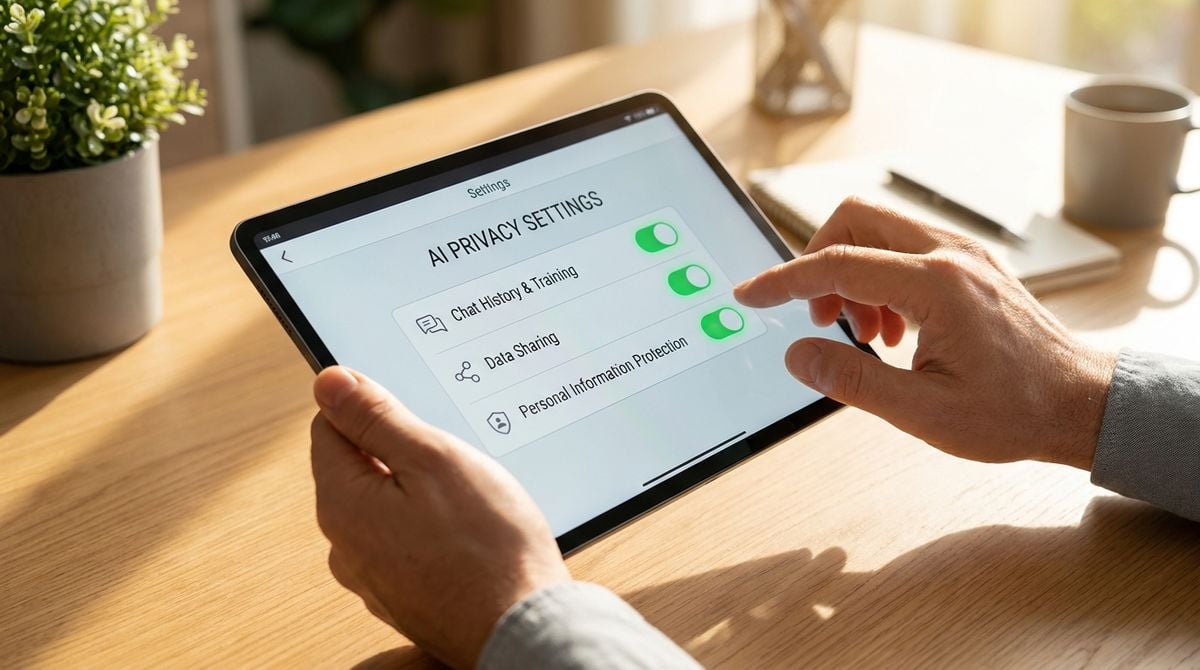
Home health monitors such as cuffs, pulse readers and connected scales can make daily tracking easier, but setup problems can distort readings and expose personal data. Many households hire a technology helper to connect devices and apps, and that helper may be a relative, a store employee or an independent technician. Asking the right questions before the first visit protects both accuracy and privacy. The questions below cover accuracy, data, support and the boundary between helper and clinician. This section is general information only and does not replace advice from a qualified clinician.
Confirming the Helper’s Experience With Devices
Ask how many home monitoring setups the technician has completed, and whether they have worked with the brands your household owns. Find out whether they understand how to confirm that a device is calibrated according to the maker’s written instructions. A good helper also explains which tasks fall outside their scope, which is a sign of honest work. Ask for a sample of the setup checklist they use, so you can compare it with the device manual.
Readers may also want to visit Chung CU Luxury Apartment. Bring that list to the appointment and ask the helper to walk through each item in turn. Their answers will show whether they know the hardware well or only know the companion app. A helper who can explain the device itself is usually more dependable.
Clarifying Data Privacy and Account Ownership
Ask who will hold the online account that stores the readings, and whether the person being monitored can sign in directly. Confirm that the account can be transferred or closed without needing the helper to act on your behalf. Ask how a transfer would be confirmed, step by step. Find out whether any third party receives the data, including app developers or advertisers. Ask whether data is shared for research or marketing purposes.
You can also visit Aksaray City for more reading. Request the privacy policy in writing and check how long data is kept after an account is closed. Clear answers here help you stay in control of sensitive information. Vague replies are a good reason to slow down and ask again. A missing answer is still an answer, and it deserves a follow-up question.
Understanding Accuracy and Calibration Steps
Ask how the helper confirms that a device reads correctly before the household starts relying on it. Some monitors need a reference check or a comparison against a reading taken at a clinic, and that step should be planned in advance. Ask who is responsible for repeating the check later, and how often it should happen. Write the check schedule on the setup sheet so it is not forgotten.
For a related read on this site, see Healthy Routines That Hold Steady After a Vaping. Ask the helper how they would notice a failing battery, a loose cuff or a sensor that has been moved. A clear method suggests careful work, while a shrug suggests the monitor will be trusted without much thought. Ask to see how the helper logs each check, too.
Reviewing Support, Updates and Follow-Up Visits
Ask how the helper handles software updates, and whether they will send a short written note describing any changes. Find out how quickly they respond when a device stops syncing, because a stalled sync can leave gaps in a record. Clarify whether follow-up visits are included in the first fee or charged separately each time. Ask about the cost of an urgent call outside normal hours as well.
Ask also about travel time and whether the helper can work remotely through a secure screen session. Remote help can be useful for small fixes, but only if the household agrees on clear limits, such as which tasks can be done without a visit. Written limits protect both the household and the helper. Ask the helper to confirm those limits in the same written summary.
Agreeing on Roles Between Helper and Clinician
Make sure the helper understands that they do not interpret readings or change any treatment plan. Ask how they will pass concerns to the person’s clinician if a device reports something unusual or a reading looks wrong. Keep the clinician’s contact details on the setup sheet, next to the emergency number and the account owner’s name.
A clear split of roles protects everyone involved. The helper handles devices, accounts and settings, while the clinician reviews health results and decides what care is needed. Writing that split down at the start prevents confusion when a reading looks strange at midnight. Keep a copy of the split on paper near the monitor.
Setting Up With Confidence and Clear Limits
Choose a helper who answers each question plainly, shows you the setup steps and admits what they cannot do. Write down the account owner, the calibration plan and the contact for urgent problems before the visit ends. Good setup work should make the monitor easier to use and easier to trust, not more confusing than before. Ask the helper to leave you a short written summary of what was done.

Everyday Habits That Ease a Gradual Nicotine Cutback

Tiny Device Routines for Better Daily Wellbeing

Wellness Coach Interviews: Scope, Training and Referrals When Vaping Is Part of the Picture

Tech Support for Home Health Monitors: Ask These Before Setup

Healthy Routines That Hold Steady After a Vaping Habit Changes
Standard Operating Procedures: A Template for Any Business

How to Choose the Perfect Home Decor for Your Business

The Ultimate Guide to Managed IT Security for Small Businesses
How Regenerative Medicine Is Changing the Way Joint Pain Is Treated

Why the Pneumatic Tube System is the Future of Patient Care
-
 Beauty7 years ago
Deep Breathing Techniques To Change Your Life
-
 Beauty7 years ago
Six Essential Food Items For Runners
-
 Featured7 years ago
There’s More To Weight Loss Than Dieting
-
 Beauty7 years ago
Healthy Choices To Help You Live Longer
-

 Beauty6 years ago
8 Ways to Prevent Acne Breakouts
-

 Featured6 years ago
Turn Your Extra Rice Into Something More
-

 Featured6 years ago
The Fur-Parent’s Guide to Caring for Your Dogs During and After a Lockdown
-
 Uncategorized7 years ago
Microsoft plans to reach negative carbon emissions by 2030 * Establishing $ 1 billion funds to find solutions