
Uncategorized
Clearing Phone Clutter Without Losing Your Photos

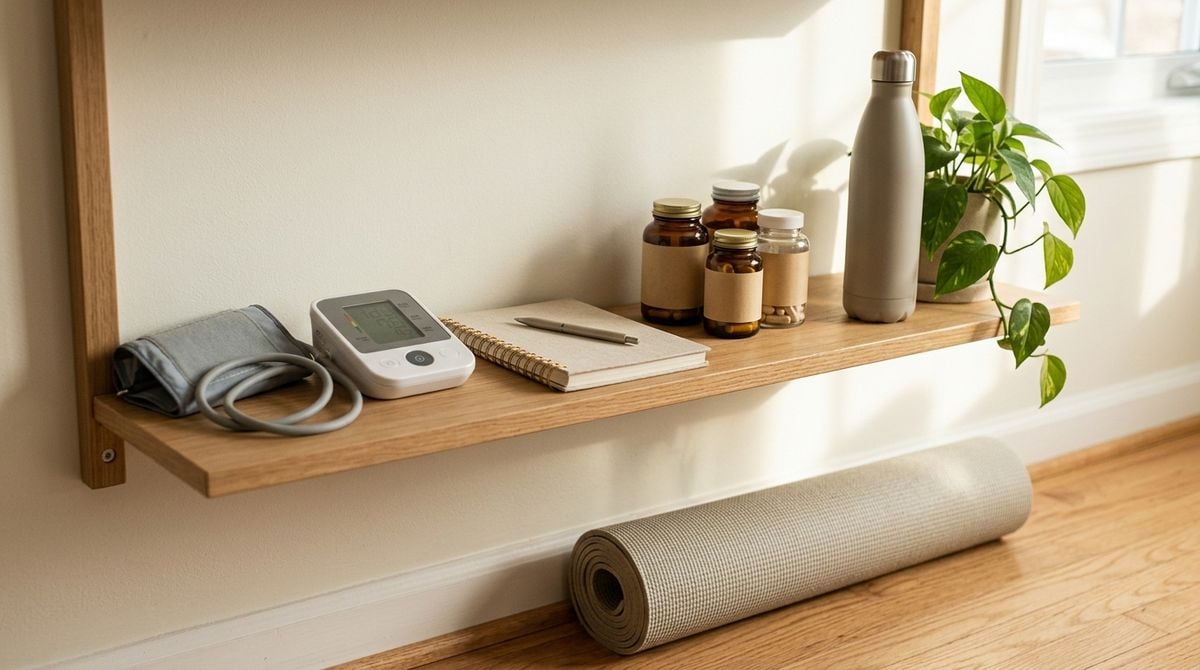
A cluttered phone can make everyday tasks feel slower and more tiring than they should. Apps pile up, storage fills, and notifications arrive at every hour. A focused session over one Saturday and the following Sunday morning can make a noticeable difference without risking precious memories. This guide explains a safe order of tasks, starting with backups and ending with a calmer home screen. Each step is simple, and none requires paid software or technical experience.
Back Up Before You Delete Anything
Begin with a full backup. Most phones offer a built-in cloud service or a computer connection that copies photos, messages, and documents. Check that the backup finished by opening a few older photos from the cloud copy. Do not skip this step, because a rushed deletion is the most common way people lose images they cannot replace. Once the backup is confirmed, you can work through the rest of the list without anxiety.
Readers may also want to visit geek-foo.net. Look for the storage screen, which usually shows which apps and files take the most space. Make a short list of the top five items, noting whether each one can be removed, moved, or simply left alone. Clear labels help you avoid guesswork later.
Clear Duplicate Photos and Large Files
Work through your photo library in small batches. Start with screenshots, which often pile up quickly and can be reviewed in a few minutes. Delete the ones you no longer need, and keep any that record a receipt, a map, or a set of instructions. Then look for burst photos and near duplicates. Keep the sharpest version of each group and remove the rest, which usually frees a surprising amount of space.
You can also visit Crioceras.com for more reading. Many of them recommend sorting by date and by album, which can reveal forgotten folders that hold large videos. Watch for long recordings that you can trim rather than delete. A short video of a family event may matter more than a dozen blurry shots, so decide with care. Keep a note of what you removed in case you change your mind later.
Tidy Apps, Notifications and Home Screens
Open the list of installed apps and sort it by last use. Uninstall anything you have not opened in several months, unless it is a banking or health tool you need only occasionally. Move the remaining apps into a few folders grouped by purpose, such as messages, travel, and reading. A simpler home screen makes it easier to find what you need and reduces the urge to scroll endlessly through icons.
Review notifications next. Turn off alerts for shopping apps, games, and news sites that interrupt your day without adding value. Keep alerts for calls, messages from family, and calendar reminders. For a related read on this site, see A Gentle Plan for Screen Use Around Rest. Test each change for a day and adjust if something important goes missing.
Set Up Backups That Run on Their Own
Turn on automatic backups for photos, contacts, and notes so future clutter is easier to manage. Check that the backup runs while the phone charges overnight, which avoids using mobile data for large transfers. Keep an eye on the storage level and decide in advance what to do when space runs low. Many people find that a monthly storage check takes only a few minutes once the system is in place.
On Sunday morning, reopen the storage screen and compare it with the list you wrote on Saturday. Note how much space you recovered and which steps made the biggest difference. Remove any leftover downloads, such as old document files or installers, which often sit unnoticed in a folder. Then restart the phone to clear temporary files and check that everything still opens normally.
Set aside a short window each month for a quick review of new apps, downloads, and large files. Ask whether each item still earns its place on your phone. Many people find that a short monthly check keeps clutter from rebuilding into a large weekend task. Store any important screenshots in a dedicated album so they stay easy to find. Remove the rest once the album is complete, and note the change in your backup log.
A Lighter Phone to Live With
A lighter phone is not a goal in itself, but a tool that supports your daily routine with fewer distractions. Keep the backup running, review the storage screen once a month, and delete new clutter as it appears. Small, regular habits prevent the pile from growing back into a weekend project. Your photos stay safe, your apps stay organized, and your attention returns to the people and tasks that matter most. If the phone still feels slow, check the battery health screen and restart it once a week. Keep software updates current, since those updates often include performance fixes. A careful routine protects your memories and keeps the device pleasant to use for longer.

A visit to a clinic is easier when the conversation is organized and specific. Many people feel rushed in a short appointment and forget details they meant to mention. Writing a few clear notes beforehand helps the visit stay focused on what matters to you. This article is general information only, and it does not replace advice from a licensed health professional. Many people find that a few written notes make the whole visit feel more relaxed and productive for everyone involved.
The notes covered here are about organizing your own thoughts, not about diagnosing or treating anything. They explain how to describe your routine, write useful questions, collect the right product information and keep a record after the visit. Each step is designed to help you communicate more clearly with the clinician who is caring for you. The approach is simple: describe what happens, write down what you want to ask and keep a record of what you hear in reply.
Describe Your Routine in Plain Words
Start by writing a simple description of how you use vaping products during a typical day. Note the times, the settings and the general amount you use, using ordinary language rather than shorthand. Include changes over recent weeks, such as a new routine or a shift in your schedule. A plain description gives the clinician a clear starting picture.
Readers may also want to visit blog-buster.net. Keep the notes factual and avoid guessing at numbers you do not know. If you are unsure about a detail, write that you are unsure. Honest uncertainty is more useful than an estimate presented as fact.
Write Down Your Questions Before the Visit
Make a list of the questions you want answered before you walk into the appointment. Put the most important one at the top so it is not lost if time runs short. Questions about general effects, about changing a routine or about where to find support are all reasonable to bring. Writing them down prevents the common problem of leaving with unanswered concerns.
You can also visit thenewsdetail.com for more reading. Bring a pen so you can jot down the answers and any instructions. A short written summary of what you were told can be very useful later. Clear questions lead to clearer answers from the people who are helping you.
Gather Product Information and Packaging
Bring the packaging or a photo of the label for each product you use, so the clinician can read the ingredients and strength information. Note the brand names and the flavor or type as printed on the packaging. If you use several products, list each one separately rather than grouping them together. Accurate product details help the clinician give more relevant general guidance.
Keep the information in a folder or on your phone so it is easy to find during the visit. If a product has changed recently, note the date you switched and the reason. Clinicians often appreciate knowing the sequence of changes rather than only the current situation. For a related read on this site, see A Gentle Plan for Screen Use Around Rest.
Describe Any Symptoms Accurately
If you have noticed any changes in how you feel, describe them as specifically as possible. Note when the symptom started, how often it appears and what seems to make it better or worse. Write down anything that interrupts your daily activities, such as sleep, work or exercise. Specific descriptions help the clinician decide what questions to ask next.
A simple symptom diary is easier to use when it stays brief and dated. Use the same wording each time you record a change so patterns are easier to see. Include anything you have already tried, along with whether it helped. A diary like this makes the appointment far more productive.
Agree on Next Steps and Keep a Record
Before you leave the clinic, ask what the next steps are and whether any follow-up is recommended. Repeat the main points back in your own words to confirm you understood them correctly. Write the next appointment date and any instructions in your notes straight away. Writing things down while the details are fresh avoids confusion later.
Keep your visit notes together with your product information and questions. Review them before any future appointment so you can track progress and new concerns. If anything changes, add a dated line so the record stays complete. A well-kept file gives you a clear view of your own journey.
Clear notes make a clinic visit more focused and less stressful. Describe your routine, prepare specific questions and bring accurate product details. With those pieces ready, the conversation can concentrate on your wellbeing and the guidance that fits your situation Keeping the notes up to date from one appointment to the next gives you a clear picture of how things are changing over time Over time, a short written history can also help you notice which questions tend to come up again, so you can prepare for them sooner.
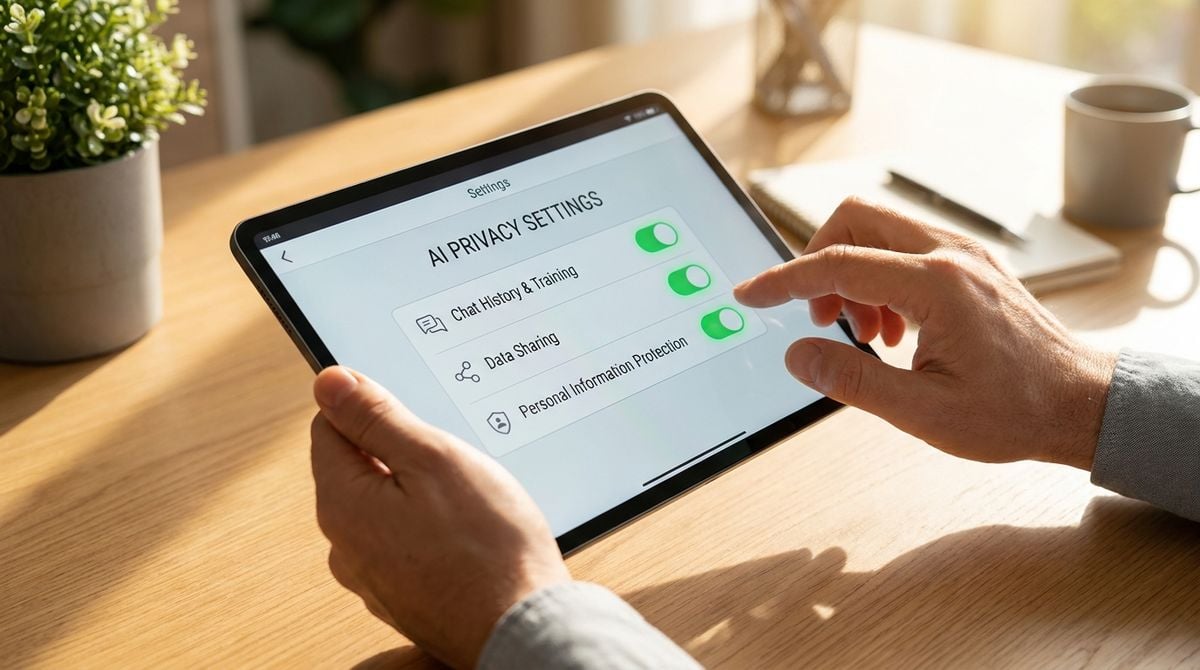
Many people now carry a phone or wearable that records steps, heart rate, sleep and other daily patterns. These records can be useful at a clinic visit, but only if they are organized into a form that a busy clinician can read quickly. Raw data scattered across several apps often creates more confusion than clarity. A little preparation turns that collection into a short, honest summary of what you have noticed over time.
It is worth remembering that device data is one piece of information, not a diagnosis. A clinician weighs many factors, including your history, examination and test results. The goal of your preparation is simply to share accurate observations and to ask well-chosen questions. This article is general information, and it does not replace advice from a qualified health professional.
Export the Data You Already Have
Start by reviewing what your device or app already stores. Most platforms let you view daily and weekly summaries, and many allow you to export records as a file. Choose a period that matches your concern, such as the last few weeks, and save the summary rather than relying on memory. Check that the dates and units look correct before you print or share anything. Missing days should be noted, because they can explain gaps in a chart.
Readers may also want to visit AnswerPrime’s articles. These pages often explain which charts are easiest to interpret and which numbers are better treated with caution. Use that guidance to decide what to bring, and avoid overwhelming the clinician with every metric on the screen.
Review Settings, Privacy and Sharing
A clear set of exported files is easier to read than screenshots from several apps. Name each file with the date range and the source, and keep the originals in a separate folder. You can also visit Erome for more reading. Keep the total number of pages short, since a focused handful of charts is easier to discuss than a stack of unfiltered records.
Before you share anything, check the privacy settings on each app. Look at who can view your records, whether data is linked to other services and how long it is kept. Turn off sharing that you do not need, and make sure any exported file is stored somewhere secure. A clinician only needs the information relevant to your visit, so a focused summary is usually better than a full account download.
Also confirm that the device has the correct profile details, such as age range and activity settings. Incorrect details can affect how some measurements are calculated. A quick check now prevents questions later about why certain numbers seem unusual.
Write a Simple Symptom and Habit Log
Alongside the device data, write a short log of how you felt on each day. Note sleep quality, meals, stress, medication changes and any symptoms that came and went. Keep the entries brief, with one line per day and a few keywords for the most important points. This log gives the clinician context that a wearable cannot provide, such as what happened before a restless night.
For a related read on this site, see A Gentle Plan for Screen Use Around Rest. Choose a format that you can maintain without much effort, because a log you stop updating after three days does not help very much.
Notice how your energy and mood change across the week as well. A pattern that repeats every few days can be as informative as a single unusual night. Write those observations in the log without judgment, using plain words such as tired, restless, calm or energetic. A short note about caffeine, travel or a late meal can also help explain sudden changes in the data. The aim is to build a fair picture of your normal rhythm, so that any shift stands out clearly to the clinician.
Prepare Questions for the Clinician
Write down the questions you most want answered. Examples include which patterns are worth discussing, whether any settings should change and what would prompt you to seek care sooner. Put the most important question first, so it is not crowded out by smaller points. Bring a printed copy of your summary and log, so you can point to specific dates during the appointment.
You may also wish to ask how the clinic prefers to receive device data in future. Some services accept files through a patient portal, while others prefer a short written summary. Knowing this in advance saves time and ensures that your information is stored where the team can find it.
Bring the Pieces Together
On the day of the visit, arrive with a single folder containing your device summary, your symptom log, your list of questions and any medication details. Keep the folder simple, and mention at the start that it is there. Clinicians appreciate a patient who has thought about the visit, and it often leads to a more focused conversation.
Afterwards, file the notes you received and set a reminder to update your log as advised. Good records are not about perfect numbers. They are about a steady, honest picture that helps you and your clinician make sense of what is happening.

Conversations about vaping often include medical, behavioral and everyday terms that can be hard to sort out. Some words describe chemistry, others describe habits, and a few describe the support people receive along the way. This guide explains ten common terms in plain language. The content is general in nature, so it cannot replace guidance from a clinician who knows a person’s history.
Nicotine and Craving Terms
Nicotine strength is the amount of nicotine listed on a product label, usually given as a concentration in the liquid. Labels can look technical, and the figures are not always easy to compare across brands. Read the label slowly, and bring any questions about the figures to a clinician you trust. Readers may also want to visit wheretheyounglearntofly.com.
A craving is a strong urge to use a substance or perform a habit, often triggered by a place, a feeling or a routine. Cravings can rise and fall within minutes, which is why many people find that waiting them out helps. Note when cravings appear, what came before them and how long they lasted. Those notes often reveal patterns that a planner can use. Reviewing the notes weekly is usually enough to spot a useful pattern.
Cue and Trigger Terms
A trigger is a situation, emotion or object that prompts a person to reach for a habit. Triggers can be obvious, such as a coffee break, or subtle, such as a tense phone call. Identifying triggers is a common first step in any plan to change a routine. Write down the three most frequent ones, and think about a different action you could take when each one appears. Small substitutions, like a short walk or a glass of water, can break the link for some people.
A cue is the signal that starts a habit loop, such as a sound, a time of day or a particular seat on the couch. Cues work below conscious attention, which is why habits can feel automatic. Moving a cue, such as keeping a product in a different room, can interrupt the loop without requiring much willpower. You can also visit Resepna Star’s articles for more reading.
Habit and Reduction Terms
A habit loop is the cycle of cue, routine and reward that keeps a behavior going. The routine is the action, and the reward is the feeling that follows it. Understanding the loop helps a person see that the reward matters as much as the action. Replacing the routine with a different one that delivers a similar reward is often easier than trying to remove the habit outright.
A taper is a gradual reduction in how often or how much of a substance is used over a period of time. Tapers are usually planned in small steps so the change feels manageable. A step that feels too hard can be held for an extra week before the next reduction. The plan should be written down and reviewed regularly. Anyone considering a taper should talk with a health professional, especially when a medical condition or medication is involved. For a related read on this site, see A Gentle Plan for Screen Use Around Rest.
Setbacks and Support Terms
A relapse is a return to an earlier habit after a period of change. Relapse is common in behavior change, and it does not erase the progress already made. Many people treat a single slip as information about what went wrong, then adjust the plan. Keep a supportive mindset, and avoid treating a setback as proof that change cannot work. Recording what led up to the slip, without judgment, is often the most useful next step.
Support and Record Terms
A support group is a gathering of people who share a goal and offer encouragement, practical tips and accountability. Groups may meet in person or online, and they can be led by peers or by professionals. Choose a group whose approach fits your goals, and check its credentials and meeting format before you commit. Public health directories often list groups in your area.
A mood journal is a simple record of feelings, activities and habits kept over several days or weeks. The journal helps reveal links between stress, sleep, meals and the urge to use a product. Keep entries short and consistent, and bring the notes to a health professional or counselor when you meet. Patterns that seem small on a single day can become clearer over time.
Health vocabulary can make an uncomfortable topic easier to discuss. Nicotine strength, cravings, triggers, cues, habit loops, tapers, relapses, support groups and mood journals each describe one part of the picture. Learn the words, keep questions for a qualified professional, and let clear language guide steady, realistic steps toward whatever goals you set for yourself.

Clearing Phone Clutter Without Losing Your Photos

Bringing Clear Notes to a Clinic Appointment About Vaping

Organizing Device Health Data Before a Clinic Visit

Health Words in the Vaping Conversation

Tech Words Behind Everyday Wellness Devices and Apps
Standard Operating Procedures: A Template for Any Business

How to Choose the Perfect Home Decor for Your Business

The Ultimate Guide to Managed IT Security for Small Businesses
How Regenerative Medicine Is Changing the Way Joint Pain Is Treated

Why the Pneumatic Tube System is the Future of Patient Care
-
 Beauty7 years ago
Deep Breathing Techniques To Change Your Life
-
 Beauty7 years ago
Six Essential Food Items For Runners
-
 Featured7 years ago
There’s More To Weight Loss Than Dieting
-
 Beauty7 years ago
Healthy Choices To Help You Live Longer
-

 Beauty6 years ago
8 Ways to Prevent Acne Breakouts
-

 Featured6 years ago
Turn Your Extra Rice Into Something More
-

 Featured6 years ago
The Fur-Parent’s Guide to Caring for Your Dogs During and After a Lockdown
-
 Uncategorized7 years ago
Microsoft plans to reach negative carbon emissions by 2030 * Establishing $ 1 billion funds to find solutions