
Uncategorized
Habit Logs for Someone Reviewing Their Vaping Routine

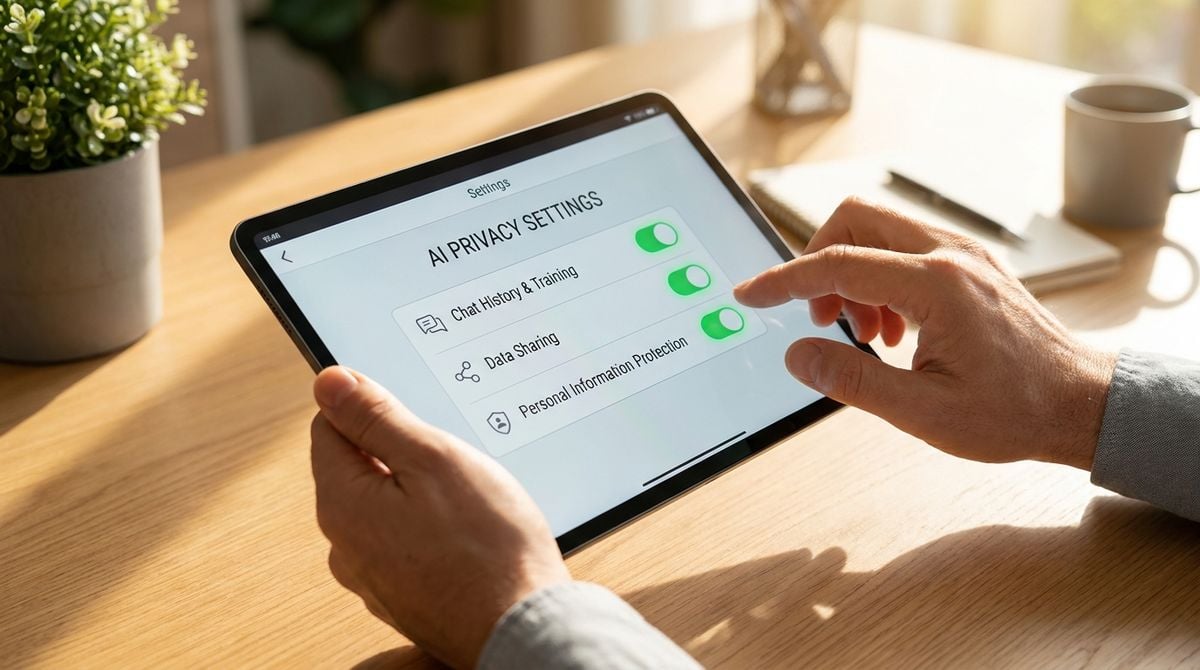
Some adults want to understand their vaping routine more clearly, whether they plan to cut back or simply want to know what drives the habit. A habit log is a plain tool for noticing patterns without judging them. Digital versions are easy to keep on a phone and can be shared with a health professional if that becomes useful later on.
This article offers general information about tracking, not medical advice. The aim is to observe moments, feelings and routines in a calm and curious way. Anyone with health concerns should speak with a qualified clinician who can answer questions about their own situation and history.
Setting Up a Simple Daily Log
A simple daily log can start in a notes app with a few columns for time, place, mood and the situation at hand. Keep entries short, since long descriptions make the habit harder to maintain on busy days. Readers may also want to visit slowlie.net. Set a reminder at the end of the day to fill in the entry while the details are still fresh.
Recording every event, even small ones, gives a more accurate picture than trying to remember everything at night. Use the same format each day so that comparing entries later is easy and quick. Avoid editing past notes to make them look better or more consistent than they were. An honest log is the most useful version of the record, even when the entries look messy.
Noticing Patterns and Triggers
Patterns often show up after a week of notes, such as a link to certain meals, meetings or evenings at home. A spreadsheet can sort entries by time of day so that clusters become visible at a glance. You can also visit Go And Grow Online for more reading. Keep the wording neutral so the log supports curiosity rather than guilt or self-criticism.
Mood ratings can add useful context, especially when stress or boredom seems to drive a particular moment. Color coding helps the eye spot repeated situations quickly during a weekly read-through. Share the pattern summary with a clinician or counselor if you want professional input on what the notes show. These conversations work best when the notes are clear, consistent and written in plain language.
Choosing a Calm Review Routine
A calm weekly review helps you decide which patterns deserve attention and which ones can be left alone. Pick a fixed time, such as a quiet Sunday evening, to read through the notes without distractions. For a related read on this site, see Pilar Tests Her New Wristband Against Her Real. Write one observation and one question at the end of each review so the process stays focused.
Avoid treating the log as a test that you can pass or fail. A missed day is information too, and it does not erase earlier progress or the lessons already noticed. Keep the review brief so it feels sustainable over several weeks rather than a chore to dread. Gentle routines tend to last longer than strict ones, and longevity is what makes a log useful.
Using Phone Features Without Overload
Phones offer many helpful features, but too many alerts can turn the log into one more source of stress. Use one reminder rather than several, and place the log app on a second screen so it is not always in plain view. Consider turning off notifications from unrelated apps during the review window to keep attention on the notes. Simple setups are easier to maintain on the days when life feels full.
Some people find a notes widget more convenient than a full app, while others prefer a paper card kept in a bag. Choose the option that you will open without having to think about it. Back up the notes to a secure folder so they survive a phone change or a lost device. Practicality matters more than sophistication when the goal is simply to keep observing honestly.
Bringing Notes to a Professional
When you feel ready to talk with a professional, a short summary of the log can make the conversation more focused and useful. Highlight the times of day, the situations and the feelings that appear most often in the notes. Bring any questions you want to ask about health or support options, so none are forgotten during the appointment. A clinician can explain what the information might mean for your own circumstances.
Keep the summary private unless you choose to share it, and store it in a folder with restricted access. Update it before each appointment so it reflects recent weeks rather than old notes from months earlier. Remember that this article is general information only and cannot replace individual guidance. Professional support is the right next step for any personal decision about health or habits.
Observing Without Judgment
A habit log is a gentle way to see your routine clearly, without rushing to change it. Keep entries short, review them calmly and bring the results to a qualified clinician when it helps. Clear observations are a useful starting point for any decision about your own wellbeing.

Many people want to understand their nightly routines better without becoming overwhelmed by charts and scores. A basic sleep log, kept in a phone app or a notebook, can reveal simple patterns while keeping the daily effort small. The goal is calm observation rather than perfection, and the best logs are the ones that feel easy enough to keep up on a busy morning.
This article covers general habits for using such tools. It is not medical advice, and any concern about sleep should be raised with a qualified health professional. Think of the log as a notebook of what you noticed, not a verdict on how well you slept. Used that way, it can prompt useful questions and make the conversation with a clinician more focused.
What a Sleep Log Should Record
A useful log focuses on a few entries, such as bedtime, wake time, a rough sense of how rested you felt and any notes about the day. Extra fields can make a log feel like homework and lead to missed entries, which weakens the whole record. Choose an app that lets you hide the fields you never use, or keep a paper version with only the lines that matter to you.
Readers may also want to visit thisisukbusiness.com. Those pages can help you interpret what you record without guesswork. They explain general ideas about routine and environment, but they cannot replace an individual assessment. Use them to frame your notes, then bring specific concerns to a professional.
Keeping Entries Short and Regular
Short daily entries work better than long weekly summaries. Spend a minute each morning recording the basics while the details are still fresh in your mind. Trying to reconstruct a whole week later usually produces guesses rather than facts, and guesses make the pattern harder to read. A regular habit matters more than perfect accuracy, so keep each entry brief and consistent.
You can also visit teleworkpeople.com for more reading. Add those factors to the entry as short tags, such as a late coffee or a warm bedroom. Tags are quick to type and make later comparisons much easier. Pairing the entry with an existing routine, such as making tea or opening the curtains, also keeps the habit from slipping.
Protecting Personal Data in the App
Health related entries are deeply personal information. Read the privacy settings before creating an account, and turn off any sharing features you do not need. Choose an app that stores data on the device or offers encryption, along with a clear process for deleting your records. A short search for the company’s data practices can save you from an unpleasant surprise later.
For a related read on this site, see Pilar Tests Her New Wristband Against Her Real. Use a unique password and enable two-step sign-in wherever it is offered. Review which permissions the app requests on your phone, such as location or contacts, and deny anything the log does not need. Delete the account properly when you stop using the app, not just the icon on the home screen.
Reviewing Patterns Without Overreading Them
Most apps display simple graphs that compare bedtimes and wake times across several days. A single unusual night rarely tells a meaningful story, even when the chart looks dramatic. Look for trends that repeat over a stretch of time before drawing conclusions. Ignore the urge to chase every dip, because that habit can turn a useful log into a source of anxiety.
Compare the tags with the graphs once a week, and write down any change you test. Keep each experiment small and easy to repeat, so you can tell whether it made a difference. Record what you tried and when, so the log becomes a record of experiments rather than a list of worries. Gentle attention tends to produce more honest notes than anxious attention does.
Preparing Notes for a Routine Check-Up
Exported summaries can help you describe patterns to a clinician during an appointment. Bring a short written list rather than a long printout, and focus on changes that began recently. Mention any medications, routines or shift patterns that might affect sleep, since those details give context to the numbers. A clear list makes the visit more productive for both you and the professional.
Avoid treating the log as a diagnosis of anything. It records what you noticed, which is useful, but it does not replace a professional examination. Keep copies of exported notes in a private folder with a clear name, and share them only with people you trust. Your notes belong to you, and you decide who sees them.
Using the Log Wisely
A simple log earns its place when it supports better habits without adding pressure. Keep the fields few, review the trends calmly and protect the data you collect. Over time, the record can help you notice what seems to help and what does not, and that understanding often matters more than any single chart. Silence the reminders during the hours you are winding down, and let the notebook serve as a calm reference rather than a judge.

Vape accessories tend to collect in drawers, pockets and car cup holders long after they stop being useful. Cartridges, coils, cords and cases can each end up in household bins when nobody plans for their end of life. For adults who use these products, a little organization reduces waste and keeps the setup simple to manage. Wellbeing also benefits from a tidy, predictable routine that does not rely on searching for a missing part. This guide offers general information only and does not replace advice from a health professional. Readers who have questions about their own use should raise them with a clinician rather than relying on written guides alone.
Keep One Organized Kit at Home
Gather all accessories into a single labeled pouch so nothing is scattered across the house. Keep spare parts together, and check the kit once a week for anything damaged. Storing items in one place makes it easy to see what is actually needed before buying more. Many people find that a visible kit prompts better use of existing parts. Readers may also want to visit rea-evolution.com. A small tray on the desk works well for the everyday items, while the spares stay in the pouch. Label the pouch with the date it was last checked so the routine is easy to follow. Keep the pouch in the same place every day so it becomes a natural part of the routine. Remove any spare that has lost its seal and recycle it at the earliest chance.
Choose Parts That Can Be Refilled or Repaired
Replaceable parts such as seals, coils and mouthpieces generally produce less waste than fully sealed disposable units. When a part wears out, check whether the manufacturer sells that component separately. You can also visit newlookcompany.net for more reading. Compare the expected lifespan of each part before buying, rather than choosing on price alone. Simple maintenance often extends the life of a device for months. Keep a note of which replacement parts fit which device, so the right one is ordered the first time. Buy spare parts in pairs only when the current part is nearly worn, which avoids keeping unused stock for months. Compare prices per use rather than per box, since a larger pack can cost more over time if it goes unused.
Separate Batteries and Electronics for Recycling
Lithium batteries and electronic components should never go into ordinary household bins. Many electronics retailers, local authorities and community centers run collection points for small devices. Tape the terminals of loose batteries before storing them, which prevents short circuits in a drawer or bag. Keep a sealed container for worn parts so they can be dropped off together. For a related read on this site, see Pilar Tests Her New Wristband Against Her Real. Store the container somewhere cool and dry until the next drop off, away from heat sources and direct sun. Check local guidance on lithium cells before packing them for mail or any shipping, as the rules are strict. Store recycling containers out of reach of children and pets.
Cut Packaging From Every Restock
Buying in larger quantities often means less packaging per part, though only if the stock stays fresh. Choose suppliers that ship in simple boxes rather than heavy plastic clamshells. Remove the excess packaging at home and sort it for recycling right away. Avoid stacking unopened boxes where they can be crushed or damaged, since a damaged part is usually thrown out. Lower packaging waste also reduces the clutter that builds up in storage. Keep a short list of the suppliers whose packaging is easiest to recycle locally. Ask suppliers directly whether they take back empty trays or boxes, since some do and many people never ask.
Review Use Patterns Once a Month
A monthly review shows which accessories sit unused and which ones need replacement. Record the date each part was changed in a notebook or phone note. Patterns often reveal that one item is replaced far more often than the rest. Adjusting the routine can reduce waste without changing the overall habit. Regular reviews also make it easier to notice unusual wear, leaks or cracks before they become a problem. Put the review on the calendar so it happens without needing a reminder each time. Keep the notebook near the kit so the entry is made the moment a part is changed. A monthly look at the notebook also reveals which suppliers deliver the fewest faults.
Less Clutter, Fewer Discards
Organizing one kit, choosing repairable parts, recycling batteries properly and reviewing use each month all reduce the flow of accessories into the trash. These steps need little more than a pouch, a notebook and a recycling drop off. Anyone who uses these products should speak with a health professional about personal questions. A tidy routine often makes the whole setup feel calmer. Any step taken now reduces the flow of discarded parts over the coming months. Small steps repeated across months keep the kit in good order.

Phones, laptops and tablets are often replaced long before they stop working. A fresh model arrives, the old one goes into a drawer and the drawer slowly fills with devices nobody quite knows what to do with. Replacing hardware too soon wastes materials, energy and money, and it also adds to electronic waste. Simple daily habits can extend the working life of most devices, and they often make the user feel calmer as well. This article offers general information only and does not recommend particular products.
Charge Batteries in Ways That Last
Battery wear is a major reason devices feel slow or stop lasting through a day. Keeping charge levels between moderate limits, rather than letting them drop to empty or hold at full all the time, can slow that wear. Many devices include a setting that pauses charging near full, and it is worth enabling it when available. Avoid charging in very hot places, such as a car parked in sunshine, because heat is hard on batteries.
Readers may also want to visit businesshotel-navi.com. Use the charger that came with the device or a reputable replacement designed for it. Cheap, uncertified cables can overheat and damage the connection over time. Unplugging a device once it reaches full charge is a small habit that adds up quietly.
Tidy the Software and Background Activity
Software updates often include security fixes, which are important, but they can also make older hardware feel slower. A device with too many background apps uses more memory, more processing power and more battery. Review the list of installed apps every few weeks and remove anything that is no longer used. Turn off notifications and background refresh for services that do not need them.
Storage space is another limit that users can manage. Photos, downloads and old messages can crowd out the free space a device needs to run smoothly. Moving large files to external storage or a cloud folder frees room without deleting anything important. Reviewing storage settings once a month keeps the device responsive for longer.
You can also visit America For Purchase for more reading. Clearing one category each week, such as photos or downloads, makes the job manageable. Keep a note of what was moved, so that nothing important is lost along the way.
Protect Screens, Cases and Ports
Physical damage causes many early replacements. A protective case and a simple screen cover absorb the knocks that come from pockets, bags and desks. Keeping ports clean with a dry brush prevents lint from blocking connections and causing charging faults. Store devices away from water and extreme temperatures, especially in kitchens and bathrooms where moisture can build up.
For a related read on this site, see Pilar Tests Her New Wristband Against Her Real. A good case costs less than a broken screen, and it keeps the device in service longer. When a screen cracks, professional repair is often cheaper than replacement if the rest of the device remains healthy. Ask for a quote before agreeing to any work so that the decision is clear.
Consider Repair Before Replacement
Repair is often the most sustainable choice, yet many people assume that a fault means the device must be replaced. Battery swaps, port repairs and keyboard replacements can restore a device to good working order at a fraction of the cost of a new one. Local repair shops and community repair events can help with simple faults. Check whether the manufacturer offers spare parts or repair guides, because these can make small jobs easier.
Before any repair, back up important data and write down the device model and the nature of the fault. This record helps a technician diagnose the problem faster. Ask whether the repair is backed by a written guarantee, and keep the receipt for future reference. A well-documented repair often extends the device by several more useful seasons.
Keep a short note of passwords and account recovery details in a safe place before any work begins, since a technician may need to reset settings. Remove the device from any shared account list if it is being sent away.
Pass Old Devices On Responsibly
When a device truly reaches the end of its useful life, it should not go into household trash. Many electronics contain materials that need special handling, and local collection points usually accept them. Wipe personal data completely before passing a device on, and remove any accounts linked to it. If the device still works, donating it to a school, a charity or a family member gives it a useful second life.
Keep a small box for accessories, cables and chargers that may still be useful. Matching a spare charger to a new device saves the need to buy another. Recording what was passed on, and when, makes it easier to track the household inventory. Responsible disposal closes the loop on a device that has served well.
Gentle Habits Add Up to Longer Lives
Devices last longer when they are charged with care, kept tidy, protected from knocks and repaired before replacement is considered. None of these steps requires expert knowledge or large spending. Together they reduce waste, lower the frequency of purchases and reduce the stress of sudden failures. A device that is looked after tends to serve faithfully for much longer than anyone expects.

Habit Logs for Someone Reviewing Their Vaping Routine

A Simple Sleep Log That Respects Your Privacy

Keeping Vape Accessories Out of the Landfill

Keeping Devices Longer With Gentle Daily Habits

Cutting Back on Vaping Without Going It Alone
Standard Operating Procedures: A Template for Any Business

How to Choose the Perfect Home Decor for Your Business

The Ultimate Guide to Managed IT Security for Small Businesses
How Regenerative Medicine Is Changing the Way Joint Pain Is Treated

Why the Pneumatic Tube System is the Future of Patient Care
-
 Beauty7 years ago
Deep Breathing Techniques To Change Your Life
-
 Beauty7 years ago
Six Essential Food Items For Runners
-
 Featured7 years ago
There’s More To Weight Loss Than Dieting
-
 Beauty7 years ago
Healthy Choices To Help You Live Longer
-

 Beauty6 years ago
8 Ways to Prevent Acne Breakouts
-

 Featured6 years ago
Turn Your Extra Rice Into Something More
-

 Featured6 years ago
The Fur-Parent’s Guide to Caring for Your Dogs During and After a Lockdown
-
 Uncategorized7 years ago
Microsoft plans to reach negative carbon emissions by 2030 * Establishing $ 1 billion funds to find solutions