
Uncategorized
Is A Unfurnished or Furnished Apartment Better Suited For You?


When looking for your next apartment, choosing to rent a furnished or unfurnished apartment is a big question for go. So, many questions come into your mind that is going to affect your budget planning.
What is a furnished apartment?
You can expect a reasonable amount of furniture and amenities in a furnished apartment. This usually includes basic household appliances, white goods (washer, dryer, fridge, oven, and so on), a sofa, and a bed.
Furnished Vs Unfurnished Price Difference
Landlords can charge higher rent because in the majority of Lahore city furnished apartments are more expensive instead of unfurnished ones. So, many people have no money to buy their furnished apartment furnished renting an apartment is the best option for them.
Most of the time people prefer renting a furnished apartment for a short period. unfurnished lease agreements, the price differential will vary substantially from city to city. This is so because a lot of people looking for furnished apartments need a place to stay temporarily.
Increased Security Deposit
Moreover, landlords may want a larger security deposit for fully equipped apartments and home accessories. For unfurnished apartments is not responsible for any home accessories.
Target Market Predictability
Renters who can afford furnished apartments—often young professionals, young families, or students who haven’t accumulated their furniture—are drawn to them because they are pricier.
A landlord may profit by catering to this market if the rental property is in a college town or a more urban setting where there are likely to be many potential renters looking for such a rental.
Furnished Vs Unfurnished Price Difference
Furnished apartments cost more to rent in most cities across the country than unfurnished flats so that landlords can ask for a higher rate. Many tenants believe it is worthwhile because it saves them from having to buy furniture.
The rent of furnished apartments is different and they vary according to the circumstances, furnished apartment rentals are more than unfurnished renting apartments. The fact that many people looking for a furnished apartment are looking for temporary lodging.
Short-term housing rents are typically higher because the owner must balance any costs associated with greater vacancies caused by shorter lease periods.
Higher Security Deposit
The real estate agent charges different amounts of commission from so many people after this they asked the clients to deposit a higher security deposit.
Predictable Target Market
Because furnished apartments are more expensive, landlords immediately attract tenants who can afford them—often young professionals, young families, or students who haven’t amassed their furniture.
If the rental property is in a college town or a more urban region, there are likely to be a large number of possible tenants looking for such a rental, and a landlord may benefit from catering to this market.
Finally, whether to rent a furnished or unfurnished house is determined by the target market. Because students and young professionals prefer
IHA Prefers furnished apartments for people
furnished apartments while couples and families prefer unfurnished apartments, each landlord must select which situation results in a large number of qualified tenants.
There are readily available furnished houses for rent, whether you’re seeking a place to lodge yourself or you and your family temporarily or permanently.
You can use the IHA’s rental services. With their assistance, you will have a greater chance of renting a home with furnished rooms at a fair price.
Conclusion

IHARent play important role in providing furnished apartments with full home accessories to renters. A furnished apartment includes all of the furnishings you’ll need to live in it, such as a couch, beds, and basic appliances. However, an unfurnished apartment cannot accommodate all of these home accessories.

Standing desks often arrive with plenty of excitement and a box of parts that takes an afternoon to assemble. A new user notices the height settings and the smooth motor first. Many people want to stand for hours on the first day, which is the moment many routines go wrong. A slow start tends to work far better than a dramatic change. The first week often feels like a discovery, which is exactly why a measured plan helps.
The technology makes the setup look simple, but the real challenge is the daily pattern around the desk. Keyboards, screens, chairs and phones can all pull posture in different directions. This article looks at the details newcomers tend to miss, from screen height to the way they shift their weight during the day. The aim is comfort and variety rather than a fixed rule that never bends.
Screen Height and Eye Line
The first adjustment most people make is raising or lowering the desk. Screen height matters just as much, and it is often left too low once the desk moves up. A monitor that sits below eye level invites the head to tilt forward for hours. Glare from a window behind the screen can push the head forward in a similar way. Readers may also want to visit jobmarketeconomist.com.
Place the top edge of the screen near eye height and keep it about an arm’s length away. Use a stand or a few sturdy books if the monitor needs a lift, and test the setting for a whole morning before deciding it is right. A second check at the end of the day confirms whether the height still feels natural.
Keyboard and Elbow Position
Newcomers often focus on the monitor and forget where the keyboard sits. A keyboard placed too high can lift the shoulders, while one placed too far away stretches the arms. Standing users may also lean on the edge of the desk without noticing it. A simple check is to let the arms hang at the sides and see where the hands naturally rest. You can also visit supportltd.net for more reading.
Keep the elbows relaxed and close to the body while typing. A wrist that stays straight is less likely to feel strain at the end of a long session. Move the mouse within easy reach so that the arm does not have to travel across the desk all day.
Shifting Between Sitting and Standing
The biggest mistake is standing still for long stretches, which can feel tiring even when the desk is well set up. Many people try to stand all day, then give up after a week. For a related read on this site, see Talking With a Friend About Cutting Back on. Small shifts every hour or so are easier to keep up with.
Set a gentle reminder for a position change and treat it as a prompt rather than a strict rule. Start with short standing blocks and build up gradually as the body adjusts to the new pattern. A timer on the phone works well, as long as the alert is easy to dismiss without breaking concentration.
Floor, Footwear and Mats
The floor under a standing desk shapes comfort more than most people expect. Hard surfaces can make the legs ache within an hour, while thick carpet can make the stance feel unsteady. Footwear matters too, since a worn flat shoe may not support long periods on the feet. A small anti fatigue mat is one option that many workers find helpful during long sessions. Chairs in the same room still need a plan for the switch between sitting and standing.
Try the mat in the spot where the most time is spent standing. Keep cables tucked away so that they do not catch a shoe during a position change.
Signs the Routine Needs Adjusting
A routine is working when it feels steady across the whole week, not just on the first good day. Warning signs include sore feet, a stiff neck or a habit of avoiding the desk altogether. Outsiders often blame the equipment before looking at the schedule. Small changes in height, timing or breaks usually solve these issues better than buying new gear. Shifting one habit at a time keeps the review simple.
Keep a short note about how the body feels at the end of each day. Review the notes after two weeks and change only one setting at a time so the cause of any change stays clear. Note any change to the layout before adjusting the height, so a new ache is easy to trace.
A Desk That Fits the Working Day
A standing desk works best as one part of a varied day rather than a fixed posture. Screen height, keyboard position and planned position changes matter more than the speed of the motor. The most comfortable setup is the one that keeps the body moving without asking for dramatic changes. A balanced day usually matters more than a perfect setup.
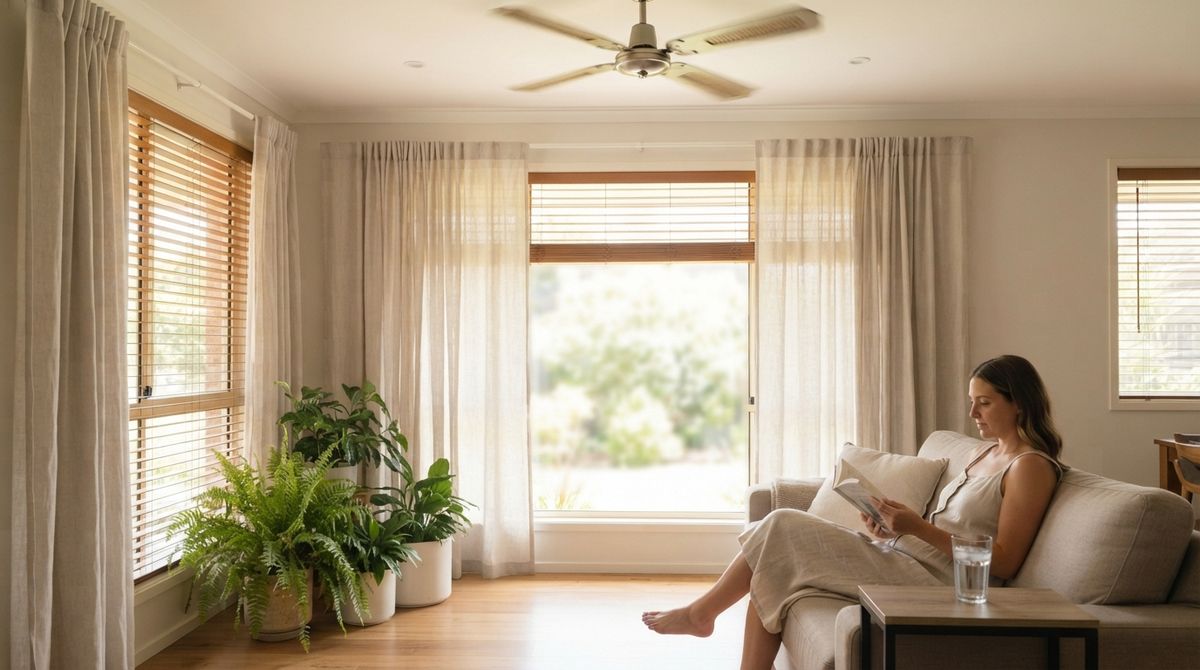
Liquids for vape devices come in small bottles that look harmless on a kitchen counter, yet they deserve the same respect as any other household product kept out of reach. Busy homes have many people moving through them, including children, visitors and pets, and a bottle left open on a shelf can be knocked over in a moment. Careful handling is mostly a matter of common sense. Read the labels, store containers in a locked place, clean up spills properly and keep hands and surfaces tidy after refilling. The guidance below offers general precautions for anyone who keeps these products at home, without making any claims about health.
Reading Labels Before Opening a Bottle
Labels carry the key information about what a bottle contains and how it should be handled. Read the warnings before opening any container, and note any instructions about storage, ventilation or disposal. Readers may also want to visit pet-select-shop.com. If a label is smudged, missing or unclear, set the bottle aside rather than guessing. Keep the original packaging where possible, since it often includes contact details and the product name. Check the expiry or batch information printed on the base, and note it in the storage log.
Locked Storage Away From Children and Pets
Storage is the most important precaution in a home with young children or curious animals. Keep every bottle in a cabinet that latches firmly, and choose a spot higher than a child can reach. You can also visit Geek Fishing for more reading. Pets can also be drawn to strong scents, so store containers in a closed cupboard rather than on a counter. Check the latch every few weeks to make sure it still closes properly. Keep a spare key or code in a separate place so the cabinet can still be opened in an emergency.
Spill Cleanup Without Skin Contact
Spills happen even when people are careful. Put on gloves before cleaning up a liquid, and use paper towels or an absorbent cloth to soak up the mess. Place the used material in a sealed bag and dispose of it according to local waste guidance. For a related read on this site, see Talking With a Friend About Cutting Back on. Wipe the surface with a damp cloth afterward, and wash your hands even if you wore gloves. Keep a small kit with gloves and cloths near the storage cabinet so cleanup is quick. Ventilate the room while the area dries, and keep children and pets out until the floor is fully clean. Keep a dedicated bin for used gloves and cloths so nothing ends up in general rubbish by accident.
Keeping Hands Clean After Refilling
Refilling a device is a moment when liquids are easiest to transfer onto skin, clothing or furniture. Work over a tray or a folded towel so that any drips land on a surface that is easy to wipe. Wash hands thoroughly with soap and water once the job is finished, and keep the work area clear of food and drink. Avoid touching your eyes or mouth while handling any bottle. A consistent cleaning habit makes the process feel routine rather than rushed. Store a bottle of unscented hand soap near the refilling area so washing is never a long walk away. Dry hands fully before touching a phone or a child’s face.
Ventilation While Refilling at Home
A well ventilated room makes refilling more comfortable and reduces lingering smells. Open a window or switch on an extractor fan before you start, and keep the door closed so the scent does not drift into bedrooms. Choose a table or bench that is away from heaters, stoves and open flames. Once the job is complete, leave the room airy for a short time before anyone else uses it. Fresh air helps keep the space pleasant for everyone who shares the home. A small fan placed near an open window moves air more effectively than a single open door.
Disposing of Empty Bottles Responsibly
Empty bottles should not be left on the windowsill or dropped into a general bin without thought. Rinse them if the label or local guidance suggests it, and check how your area handles small containers for household chemicals. Keep used bottles in a sealed bag until collection day, so they cannot be opened by a child or animal. Some communities run collection points for hazardous household items, and those services can be a sensible choice. Never pour leftover liquid down a drain unless the label explicitly allows it. Check local council guidance each year, since collection rules for small containers can change.
Simple Rules Everyone in the Home Knows
Clear household rules help everyone stay safe without constant reminders. Agree on where liquids are kept, who may refill a device and which surfaces are used for the job. Write the rules on a small card and place it near the storage cabinet so new visitors can read it quickly. Revisit the rules when the household changes, such as when a baby arrives or a teenager moves in. Shared habits make careful handling feel like a normal part of daily life. Ask each person to read the card aloud once, so everyone has heard the plan at least once.
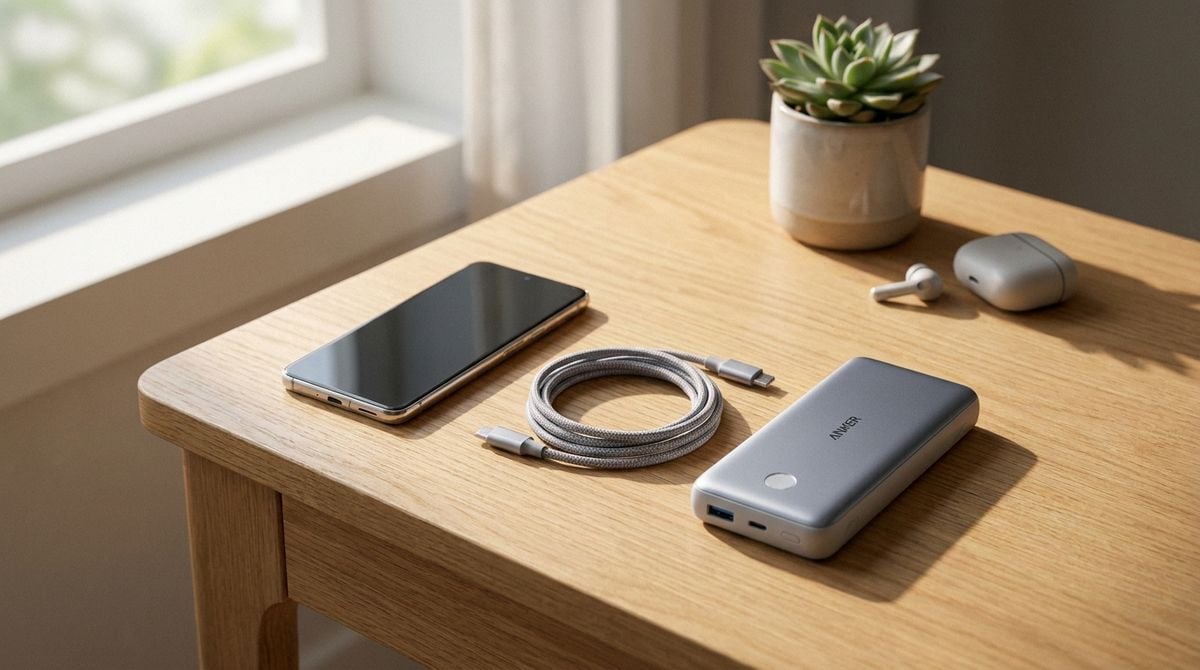
Most people spend long stretches in front of a screen without thinking about how the desk and devices are arranged. Small details such as chair height, room lighting, and the distance between eyes and display can change how comfortable a workday feels. This article covers general habits for arranging equipment and caring for devices. It is not medical guidance, and anyone with ongoing discomfort should speak with a qualified professional. The aim here is simply to make everyday screen work more pleasant and practical.
Setting the Screen at a Comfortable Height
The top of the display should sit near or slightly below eye level for most people, so the head does not tilt down all day. Place the screen about an arm’s length away, and adjust the distance until the text feels easy to read without leaning forward. A stand or a stack of sturdy books can raise a laptop, and a separate keyboard keeps the wrists more relaxed. Keep the mouse close to the keyboard so the arm does not reach far to one side. Readers may also want to visit animals-photos.net. Check the setup each week, because a chair or monitor that drifts out of place can change how the day feels. A few minutes of adjustment at the start of the week keeps the whole desk working well.
Lighting That Reduces Glare
Glare from windows and overhead bulbs can make a screen harder to read and more tiring to view. Position the desk so that the screen does not face a bright window directly, and use blinds or curtains when sunlight is strong. Soft, even lighting across the room works better than a single harsh lamp pointed at the monitor. Consider a warm, adjustable desk lamp that lights the work surface without shining straight into the eyes. Many displays offer brightness and contrast controls, and matching them to the room prevents the screen from feeling too bright or too dim. You can also visit dogs-info.net for more reading. Try the desk at different times of day, since sunlight can change the glare considerably.
Taking Regular Breaks From the Display
Long periods without movement can make any working position feel uncomfortable. Stand up, walk to the kettle, or stretch the shoulders at a natural pause in the work. Some people find it helpful to look at something far away for a few moments, which gives the eyes a change of focus. Set a gentle reminder on a timer or in a calendar, so breaks happen even when a task feels urgent. Keep water within easy reach, so getting a drink becomes a natural reason to move. For a related read on this site, see Talking With a Friend About Cutting Back on. Choose the ones that feel gentle and easy to repeat.
Keeping Cables and Chargers in Good Shape
Frayed or bent cables are a common cause of unreliable charging and can present a hazard. Inspect plugs, sockets, and cords regularly, and replace anything that feels hot, smells odd, or shows damage. Avoid running cables under rugs or where they can be pinched by a chair wheel. Use a surge protector with a clear switch, and do not overload a single socket with many devices. Keep chargers away from water, soft bedding, and stacks of paper that can trap heat. Unplug equipment that is not in use during long absences, which saves a little energy and reduces risk. Keep a spare power lead in a drawer so a damaged one can be replaced quickly.
Cleaning Screens Without Damage
Dust and fingerprints on a display can add to eye strain, so a gentle clean is worthwhile. Switch off the device and let it cool before wiping the surface. Use a soft microfiber cloth that is slightly damp, and avoid spraying liquid directly onto the screen. Avoid paper towels, rough fabric, and harsh household cleaners, which can scratch or leave residue. Clean the keyboard gently with a dry brush or compressed air, keeping moisture away from the keys. Wipe the desk and mouse at the same time so the workspace stays neat and hygienic. Use a separate cloth for the screen and the keyboard, so dust does not spread around.
Choosing Accessories That Fit the Desk
Accessories can make a workspace more comfortable, but they should suit the room and the work. A wrist rest, a document holder, and a footrest are simple additions that many people find useful. Look for stable, well-made items that will not wobble or tip when bumped. Test an accessory for a few days before committing, since comfort is personal. Avoid cluttering the desk with objects that block airflow around the computer. Keep a small tray for cables and loose items so the surface stays clear and easy to clean. Label the cables with simple tags so they are easy to trace when something needs replacing.
Small Habits Add Up Over a Week
Comfort at a screen is rarely the result of one big change. Steady attention to height, light, breaks, and tidy cables adds up across a week. Start with one adjustment today and build from there.

How Scientists Investigate Peptide Selectivity and Why Molecular Specificity Matters in Biomedical Research

Setting Up a Standing Desk Routine Without Overdoing It

Careful Handling of Vape Liquids in a Busy Household

Everyday Device Care for Comfortable Screen Time at Work

Writing Down Daily Habits Without Turning Them Into Rules
Standard Operating Procedures: A Template for Any Business

How to Choose the Perfect Home Decor for Your Business

The Ultimate Guide to Managed IT Security for Small Businesses
How Regenerative Medicine Is Changing the Way Joint Pain Is Treated

Why the Pneumatic Tube System is the Future of Patient Care
-
 Beauty7 years ago
Deep Breathing Techniques To Change Your Life
-
 Beauty7 years ago
Six Essential Food Items For Runners
-
 Featured7 years ago
There’s More To Weight Loss Than Dieting
-
 Beauty7 years ago
Healthy Choices To Help You Live Longer
-

 Beauty6 years ago
8 Ways to Prevent Acne Breakouts
-

 Featured6 years ago
Turn Your Extra Rice Into Something More
-

 Featured6 years ago
The Fur-Parent’s Guide to Caring for Your Dogs During and After a Lockdown
-
 Uncategorized7 years ago
Microsoft plans to reach negative carbon emissions by 2030 * Establishing $ 1 billion funds to find solutions